Site inspections
From the walk-round to the write-up.
Capture issues with photographs and notes while you’re on site. Organise the work, track progress and share a report with the people who need it.
3 active projects free. No credit card.
iPhone, iPad, Android and web.

App screenshot · sample project
[ The app ]
Native on your phone or tablet. Full dashboard on the web.
Capture issues on iOS or Android, then review, organise, and share your work from the web dashboard.
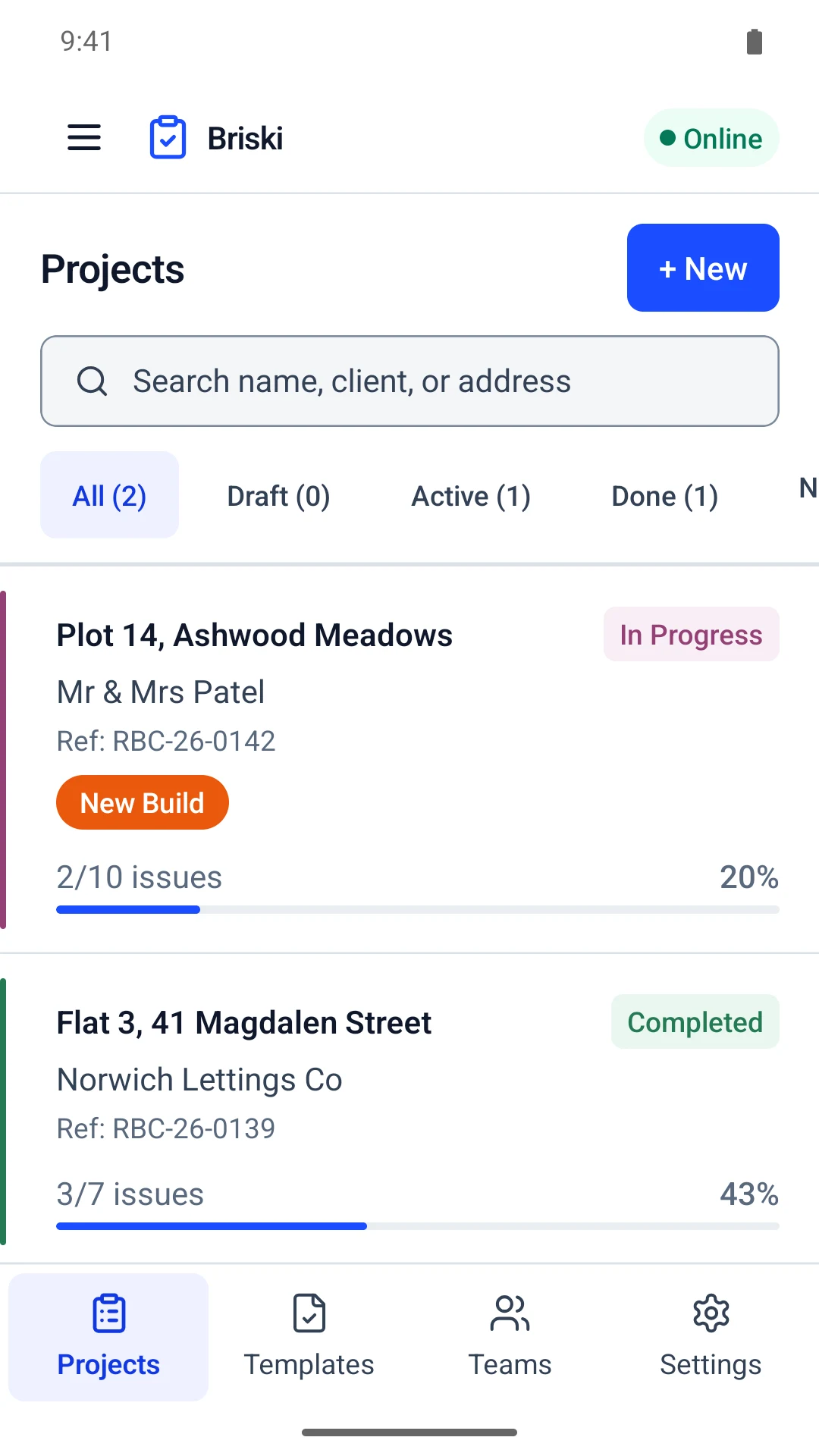


[ 01 / 06 — Projects ]
Every job at a glance — status, progress and who it's for.
[ 02 / 06 — Snag list ]
Priority, trade and location on every issue. Tick them off as they're fixed.
[ 03 / 06 — Issue ]
Photograph it, describe it, assign a trade and a due date.
[ 04 / 06 — Photo ]
Full screen, pinch to zoom. Share or bin it from here.
[ 05 / 06 — Annotate ]
Arrows, pen and text straight onto the photo. No argument about which crack.
[ 06 / 06 — Report ]
Choose a PDF layout and add your report branding.
[ Built for sites ]
Ditch the clipboard. Keep the evidence.
Photo evidence with context
Photograph each issue and annotate it on the spot. Circles, arrows, freehand marks — the photo tells the story. Every image is timestamped and linked to its entry.
Works without signal
Construction sites are not known for their Wi-Fi. Capture photos and notes offline, then sync when you're back in range. AI writing requires a connection.
Instant report generation
Generate a branded PDF report before you leave the site. Every issue numbered, photographed, and prioritised. No evening spent formatting a spreadsheet.
Audit trail you can defend
Every entry is timestamped. Photos are linked to issues. Reports are generated with dates and sign-off. If HSE comes asking, you have documented evidence.
Inspections deserve better than paper.
Keep observations, photographs and next steps together during the site walk. A shared record makes it easier to review the findings afterwards and see what still needs attention.
Briski gives you a structured way to capture inspection findings on any device. Walk the site, photograph issues, annotate the photos, set priority levels, and assign follow-up actions. The app runs on phones, tablets, and the web — whatever you have to hand. And because it works offline, there's no excuse for a site with no signal.
When the walk is done, generate a timestamped PDF report. Share it with the project manager, the client, or your compliance team. Every issue is traceable, every photo is linked, and every report has a date on it. That's what an audit trail looks like.
[ How it works ]
Four steps. Start to report.
Photograph
Walk the site. Photograph safety issues, quality defects, incomplete work — anything that needs attention.
Log
Annotate the photo and log the details. Set priority, assign a responsible party, note the location on site.
Report
Generate a timestamped PDF inspection report. Branded with your logo, numbered, ready to file or share.
Share
Share with the project team via PDF or live link. Track remediation and close out issues as they're resolved.
Coming soon · AI-assisted writing
Your inspection.
A head start on the write-up.
Start with what you saw. Briski’s upcoming AI tools will help turn photos and notes into a draft you can check, edit and make your own.
Your judgement stays in charge.
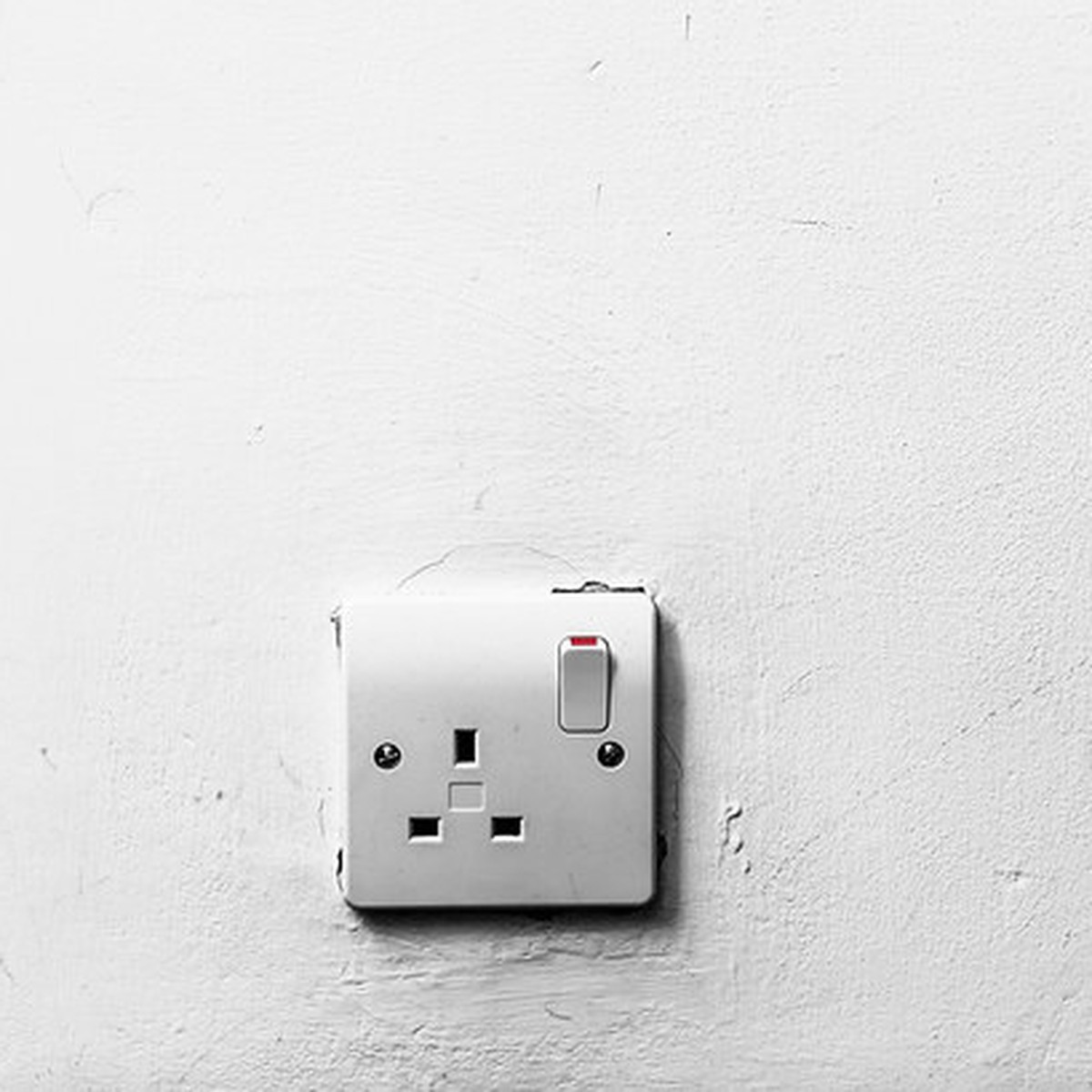
Example AI draft — for review
Photo → snag noteUneven wall finish around socket
The painted wall around the socket faceplate has an uneven, rough finish, with visible cracking and chipped edges above and beside the plate. A dark gap is visible along part of the top edge. Surface marks are also visible on the surrounding wall.
What the photograph cannot tell us
Socket fixing and electrical condition cannot be assessed visually.
A starting point for your record. You check every detail.
- Photos into draft notes
- A suggested snag title and description, with uncertainty left visible for your review.
- Rough notes, clearer wording
- Help with the write-up, while keeping your observations and the things you could not check.
- A summary to work from
- Bring up to 25 selected records together into a draft overview for you to review before sharing.
AI writing is coming soon. You can already use Briski to capture photos, write your own notes and create reports without AI. The example above is a reviewed test output.
[ Pricing ]
Just you. Or your whole team.
Start free, choose Solo for yourself, or choose a subscription for your team. Only the team owner pays — everyone else joins free.
Free
Just you. 3 projects at a time.
50 AI trial credits, once per verified account · coming soon
Free AI is subject to a shared weekly usage budget. Your manual inspection work is always available.
Start freeNo card. No time limit.
- 1 person
- 250 MB cloud photo storage
- 3 active projects, unlimited issues
- Photos, annotation, templates
- PDF reports with a small Briski footer
- iPhone, Android and web
Solo
500 AI credits each month · coming soon
Work on your own. Unlimited projects.
Start free, upgrade when readyCancel anytime
- Everything in Free
- Unlimited projects
- 20 GB cloud photo storage
- The full web app, not just mobile
- Sync across your phone, tablet and laptop
- Your logo on reports, no footer
Teams
2,000 AI credits each month · coming soon
Up to 5 people. One bill.
Start free, upgrade when readyCancel anytime
- Everything in Solo
- Up to 5 people, members join free
- Shared projects — everyone sees the same job
- 100 GB cloud photo storage
- Client portal links
- Roles and permissions
Bigger outfits
Business
8,000 AI credits each month · coming soon
Up to 20 people. Still one bill.
Start free, upgrade when readyCancel anytime
- Everything in Teams
- 500 GB cloud photo storage
- Up to 20 people
- Priority support
Enterprise
20,000 AI credits each month · coming soon
Up to 100 people. One bill, one invoice.
Start free, upgrade when readyCancel anytime
- Everything in Business
- 2 TB cloud photo storage
- Up to 100 people
- More than 100? Email hello@briski.app
Coming soon: AI allowances and top-ups.
AI credits are shared across your subscription. A rewrite uses 1 credit, a photo draft 2, and a summary of up to 25 selected records 5. The cost is shown before you generate. Your monthly allowance resets each month, including on annual plans.
For example, 20 photo drafts, 5 rewrites and a summary use 50 credits. That is an example workload, not a limit on your inspections. You can always keep working manually without spending credits.
| Credits | Price | 50-credit examples |
|---|---|---|
| 500 | £4.99 | 10 |
| 2,000 | £14.99 | 40 |
| 5,000 | £34.99 | 100 |
Top-ups are available on any paid plan. Purchased credits never expire. Included credits are used first. No automatic top-ups, and failed generations do not cost credits. App-store prices are shown in your local currency before purchase.
[ Get started ]
Inspections with evidence, not just paperwork.
Start with Briski’s Free plan. Photograph issues, generate reports, and build an audit trail that actually holds up.
No credit card required. Then from £4.99/month — cancel anytime.